Undo the Cancellation of a Delivered Service Record
Use the following steps to undo the cancellation of a delivered service record. Completing this process will revert a Case Note and related Delivered Service if it was accidentally cancelled.
1. From the Main Menu select Support
Coordination from the Careview menu, then click on CoS NDIS Claims or CoS Invoices.
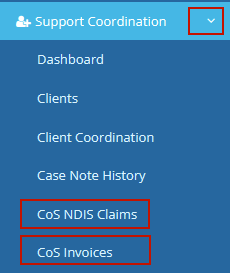


2. The CoS NDIS Claims or CoS Invoices screen displays. Click on Review, next to the CoS NDIS Claim or CoS Invoice you wish to reinstate.
3. The CoS NDIS Claim Details or CoS Invoice Details screen displays. Click to select the relevant Delivered Service Records. Under Action, click Undo Cancel DS.