Create CoS Hours Report
Follow this process to create a CoS Hours Report.
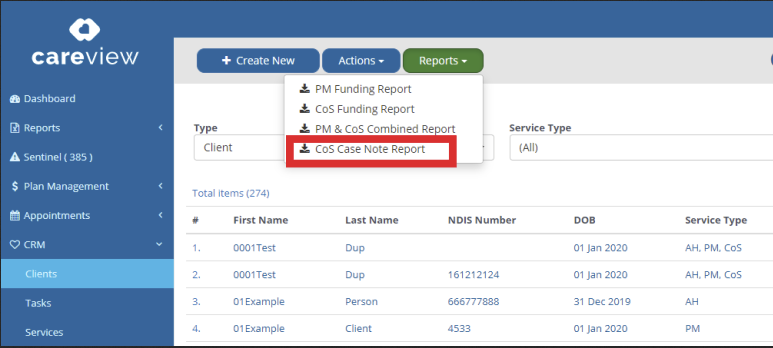
1. Click on CRM and select Clients.
2. Click on the Report button and select the CoS Case Note Report.
3. A new window will appear, enter the date range and select the filter required (all hours, billable, non-billable)
4. Click on Generate Report, the file will appear your Downloads tab.